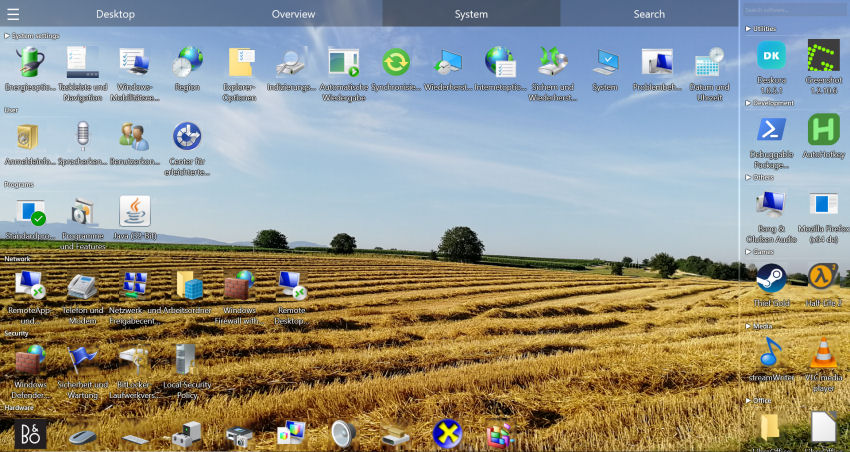
Why your Windows desktop always ends up a mess
It always starts the same way: a clean desktop with a handful of icons. Then downloads pile up, screenshots multiply and shortcuts accumulate. The reason it never stays tidy is simple — Windows has no built-in way to organise your desktop intelligently:
- Downloads land on the desktop and stay there forever.
- Screenshots pile up with zero structure.
- Shortcuts and files mix together in one jumble.
- Windows only sorts by name, size or date — which never solves the underlying problem.
- Important files get buried, costing you minutes every day.
How to organize your desktop manually (and where it breaks down)
You can tidy a Windows desktop by hand, and for a small number of icons it is worth knowing how:
- Right-click the desktop → View to adjust icon size and toggle "Auto arrange icons".
- Right-click → Sort by to order icons by name, size, type or date.
- Create folders on the desktop and drag related files into them.
- Move downloads out of the desktop into proper folders regularly.
The problem: every one of these steps is manual and temporary. Sorting by name does not group related files, desktop folders just hide the clutter, and within days new downloads have undone your work. To keep a desktop organised long-term, the sorting has to happen automatically.
🖥️ Organise your desktop automatically
Deskora groups your icons for you and keeps them sorted — no manual dragging.
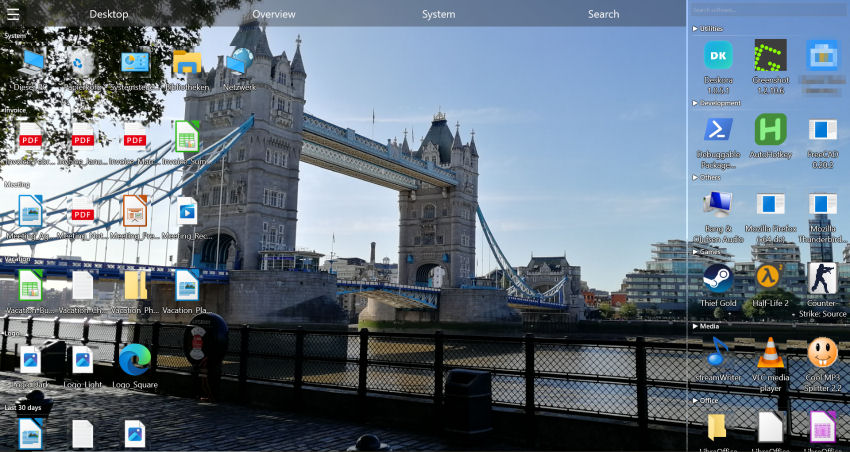
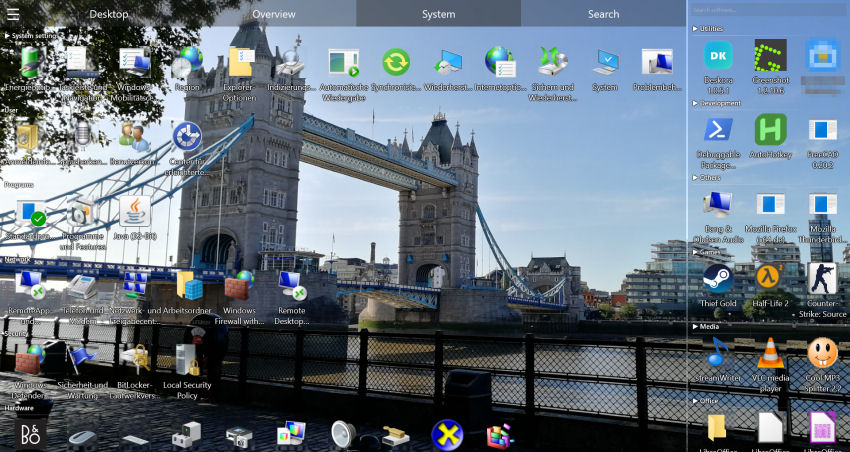
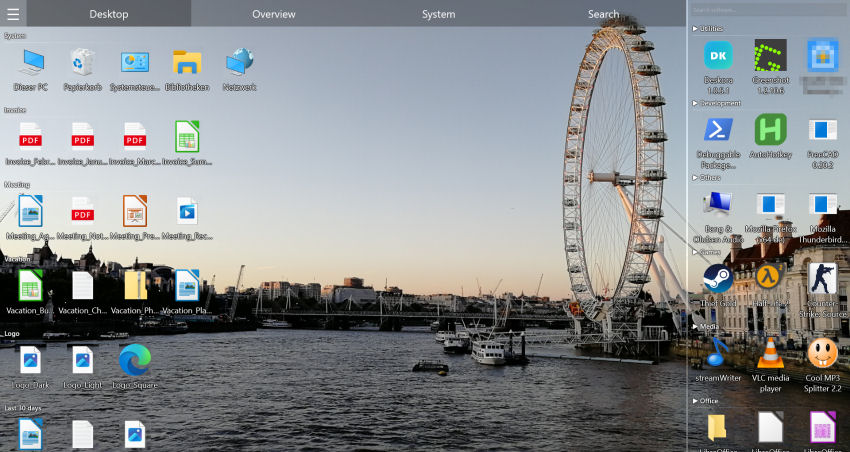
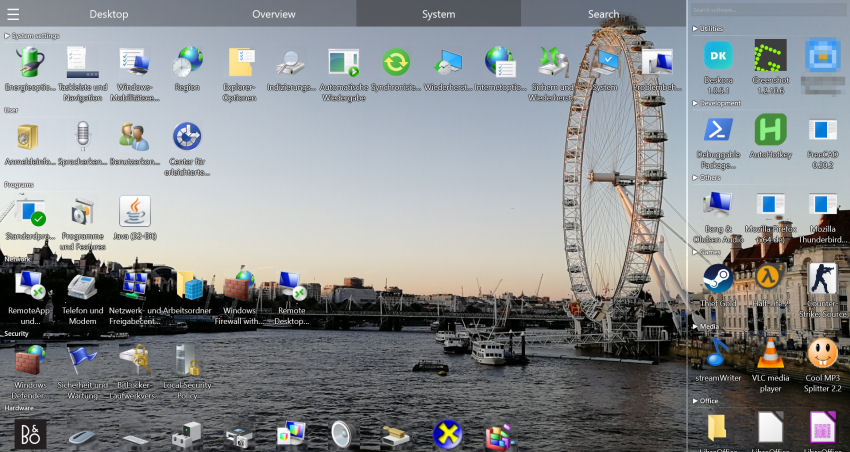
Download Deskora FreeHow Deskora organizes your desktop automatically
🗂️ Automatic grouping
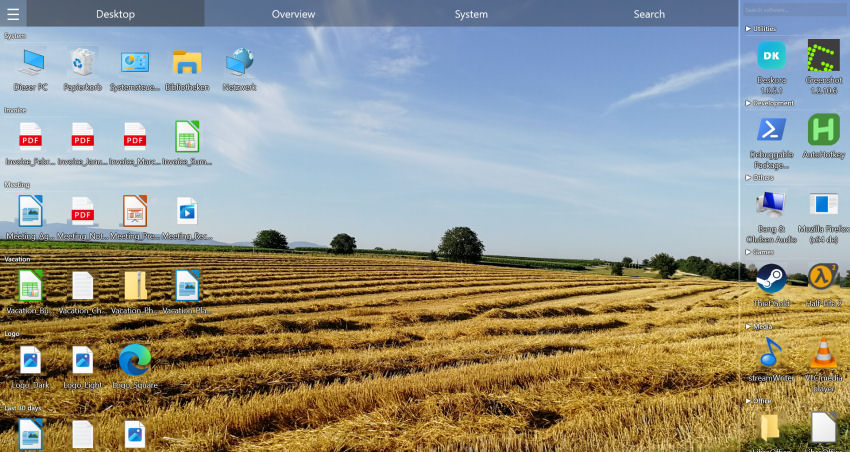
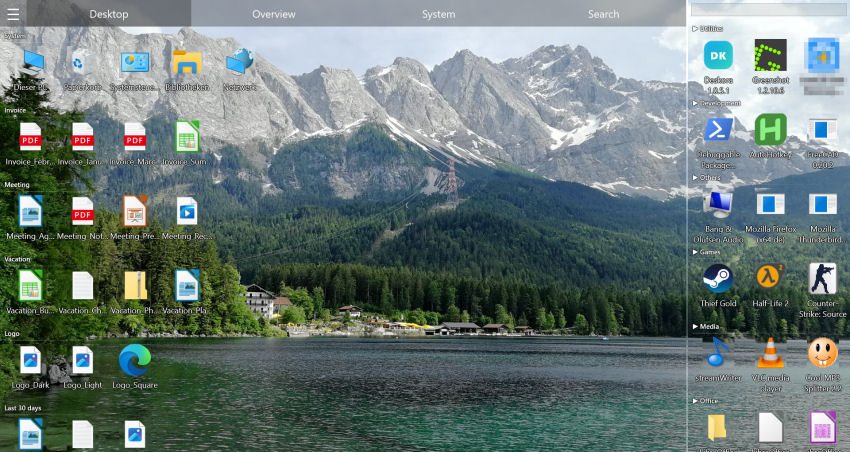
Deskora analyses file names and types and sorts them into smart categories — Documents, Media, Development, Archives and more. New files are highlighted, older ones grouped by age.
🔄 Real-time detection
New downloads and screenshots are detected and placed into the right group automatically, so the desktop stays organised on its own.
🔍 Instant NTFS search
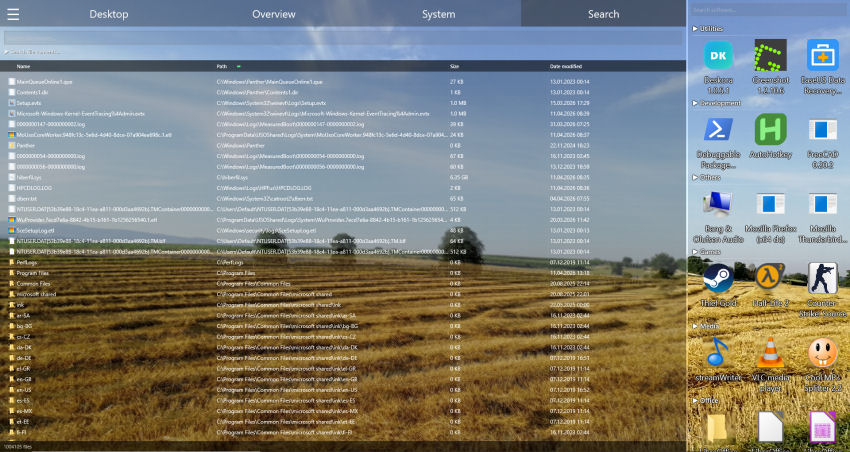
Find any file on your drives in seconds — by name with wildcards, or optionally inside file contents.
🎨 Customisable layout
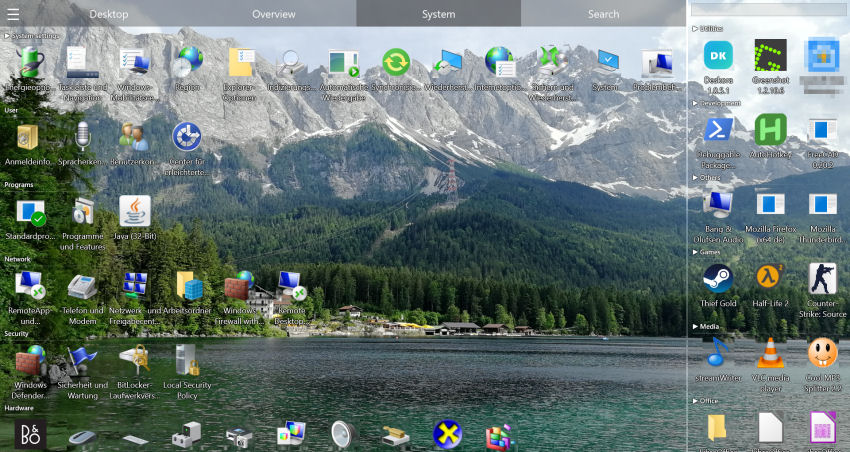
Adjust icon sizes, hover effects, sorting rules and language, and rename or rearrange groups to match your workflow.
Organize your desktop in 3 steps
- Download Deskora — a standard Windows installer, done in under 30 seconds, no account needed.
- Let it sort automatically — Deskora scans your desktop and creates smart groups in seconds.
- Stay organised — every new file is sorted into the right group from then on.
System requirements
- Operating system: Windows 10 or later (64-bit)
- Disk space: 50 MB free
- Memory: 4 GB RAM recommended
Decluttering Once Isn't Enough
Tidying up is easy. Keeping it tidy? That's where it falls apart. Windows has no mechanism to auto-sort new files. Every download lands on the desktop unsorted.
- Decluttered once ≠ decluttered forever — new files break the order
- Windows has no auto-classification — everything lands in the main area
- Batch sorting is tedious — manual re-sorting wastes time regularly
How Deskora Keeps Things Decluttered
🔄 Real-Time Detection
Every new file is detected and classified automatically into the right group.
🧠 Intelligent Grouping
Deskora recognizes file types and creates logical groups that fit your workflow.
📂 Flexible Groups
Create custom groups, rename them, rearrange them — Deskora adapts to you.
💤 Resource-Friendly
Runs in the background with minimal usage. Smart idle mode saves energy.
Permanent Order in 3 Steps
- Install — Under 30 seconds, no account.
- Let Deskora do the first sort — existing files get grouped.
- Done — Everything stays sorted automatically from now on.
Three approaches, three outcomes
A Windows desktop usually gets organized in one of three ways. The difference is not which one feels better on day one, but what is left three months later.
| Approach | Effort up front | Ongoing upkeep | What happens to new files |
|---|---|---|---|
| Sorting into folders by hand | ✗ High | ✗ Every week | ✗ Nothing |
| Windows' built-in "Sort by" | ✓ Low | ✓ None | ✗ Name, date, size only |
| Rule-based grouping (Deskora) | ✓ One-time | ✓ None | ✓ Straight into the right group |
Windows' own "Sort by" hits its ceiling within minutes: it changes the order but creates no groups and knows no rules for files that arrive later. That single gap decides how many days the order survives.
Frequently Asked Questions
How do I organize my Windows desktop automatically?
Install a desktop organizer like Deskora. It groups your icons by name and type automatically and sorts every new file into the right group — no manual dragging required.
Does Deskora move my files?
No. It organises how icons are displayed on the desktop; your files stay where they are on disk.
Does it need an internet connection?
Sorting runs locally on your PC. Only file types and apps Deskora doesn't recognise yet are assigned once with AI help — based on the file extension or program name only, never your file names or contents.
Can I customise the groups or switch the automation off?
Yes, both. Groups can be renamed, rearranged and created by hand, and you can drag files between them. Icon sizes and sorting rules are adjustable too. If you would rather order things yourself, pause the real-time sorting and keep the groups purely as a view.
Is it really free?
Yes — no ads, no subscription, no paid edition and no trial that expires. Deskora runs on Windows 10 and Windows 11 (64-bit) and is set up through a standard Windows installer in under 30 seconds, without an account or registration.
Does it work with tons of files?
Yes. Several hundred icons on the desktop are no problem: Deskora reads file names and types directly rather than through a slow enumeration, so the first grouping is done in seconds. After that each new file is added individually, with nothing to recompute.
What happens if I uninstall Deskora?
Windows shows the familiar desktop with its usual icons again, and the original icon positions come back. Because Deskora never moves, renames or deletes anything on disk, your files are exactly where they were before.