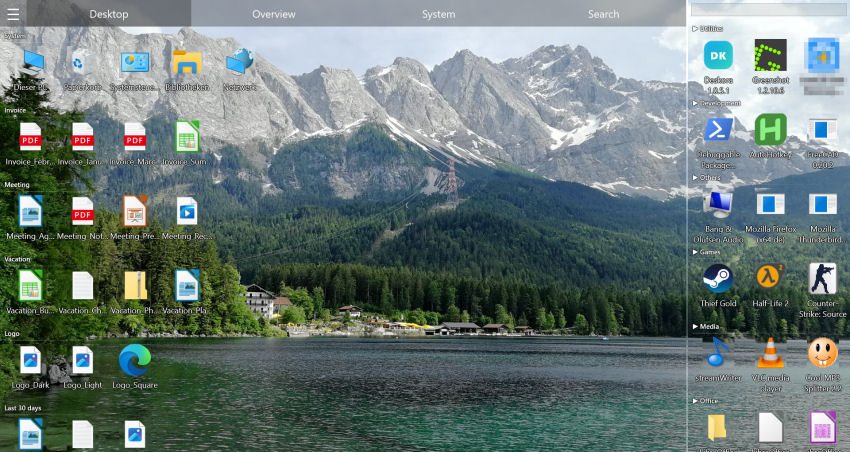
Why So Many People Are Looking for a Fences Alternative
Stardock Fences has been one of the best-known desktop organizers for years. The idea is simple: you draw shaded areas ("fences") on your desktop and drop your icons into them. Since version 6 it also sorts new files automatically using rules (file type, name, date), with ready-made templates such as Programs, Folders, Documents, Music & Video or Pictures — you set up or enable those rules and areas yourself. It works well, but a few points are worth knowing before you buy.
Where Fences Has Its Limits
- It costs money — Fences is sold as a subscription or a one-time purchase; there is a 30-day trial beforehand
- Automation only after setup — you create or enable the rules and areas yourself before new files get filed
- No built-in drive search — to search your disks you are back in Explorer or reaching for another tool
- No search inside documents — text inside PDFs or Word files is out of reach
💡 Same Idea, No Setup
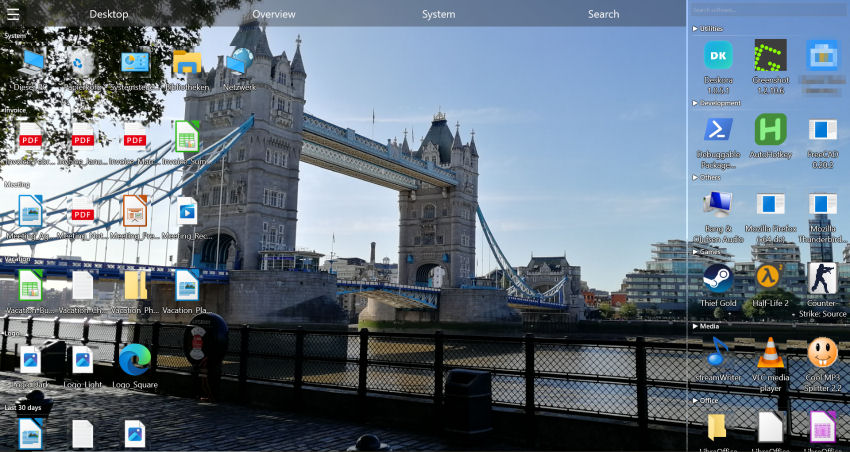
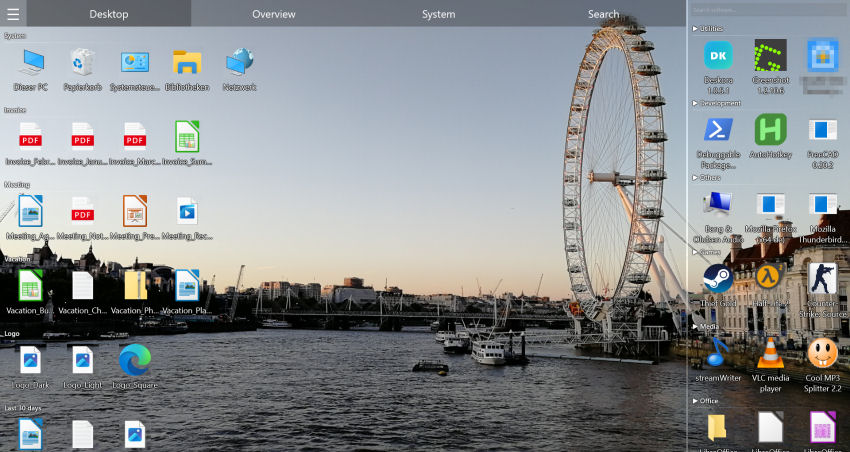
Deskora groups by type from the first launch — plus age groups, highlighted new files and an NTFS search. Free.
Try Deskora FreeDeskora vs Fences: Head-to-Head Comparison
| Feature | Deskora | Fences |
|---|---|---|
| Price | ✓ Free | ✗ Paid (subscription or one-time purchase), 30-day trial |
| New files sorted automatically | ✓ From the first launch, no setup | ✓ Via rules you set up |
| Instant NTFS search | ✓ Yes | ✗ No |
| Search inside file contents | ✓ Yes | ✗ No |
| Optional 3D icons | ✓ Yes | ✗ No |
| Multi-monitor support | ✓ Yes | ✓ Yes |
| Custom groups | ✓ Yes | ✓ Yes |
| Smart idle mode | ✓ Yes | ✗ No |
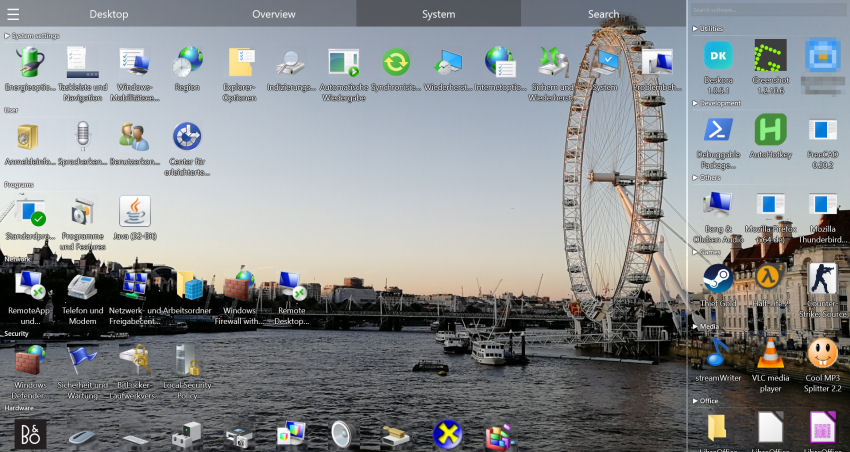
| Installed software overview | ✓ Yes | ✗ No |
| Ad-free | ✓ Yes | ✓ Yes |
What Deskora Does Differently
🗂️ Grouping With No Setup
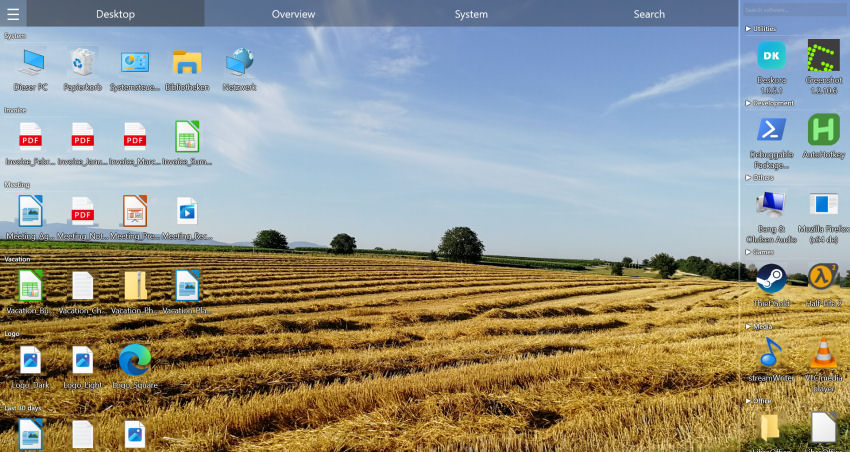
Fences sorts automatically once you have created areas and rules. Deskora groups your files by type from the very first launch — documents, media, development, archives — clusters similar file names locally, and highlights new arrivals.
🔍 Instant Search Across Your Local Drives
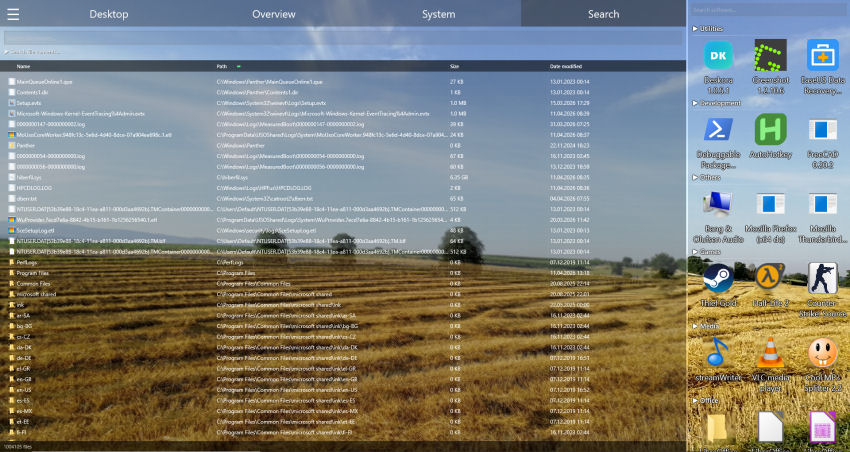
Deskora's NTFS index covers your local hard disks and SSDs and returns matches while you are still typing. You can also search inside file contents — ideal when you no longer remember the file name.
🎮 Direct3D Rendering and Idle Mode
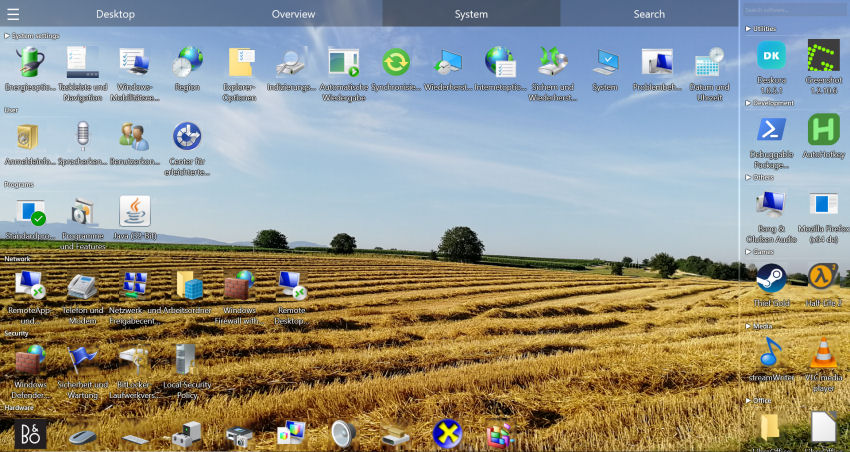
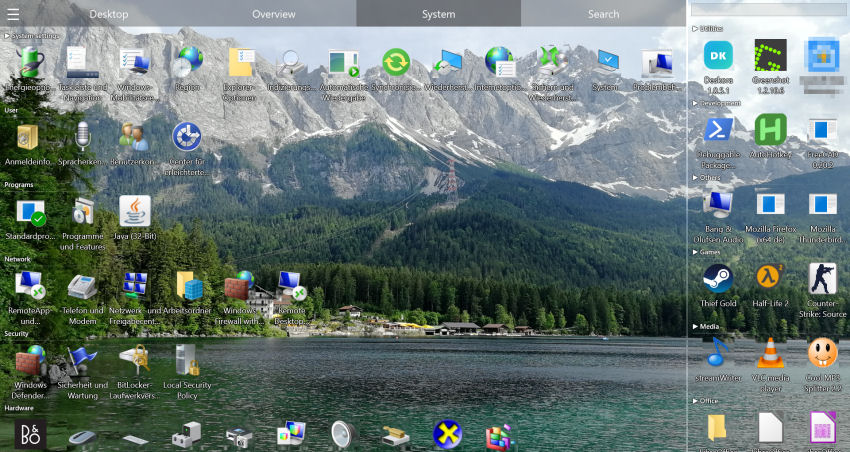
Deskora renders through Direct3D 11 and offers optional 3D icons that can be switched off. When you are not interacting with it, it drops into an idle mode and uses CPU and GPU only when something actually changes.
🔄 Real-Time Detection
New downloads, screenshots, and created files are detected instantly and sorted into the right group. Your desktop stays clean automatically.
🎁 Why Pay When Free Also Works?
Deskora groups without setup, searches every local drive, and costs nothing.
Download DeskoraClean Desktop in 3 Steps
- Download Deskora — Installation takes under 30 seconds. No account needed.
- Let it sort automatically — Deskora scans your desktop and creates smart groups automatically.
- Done — Your desktop is organized. New files get sorted automatically from now on.
Who Should Switch?
- Fences users tired of paying — Deskora costs nothing and needs no setup
- People who don't want to maintain rules — grouping by type is there from the first launch
- Developers and power users — the instant NTFS search finds files on every local drive, wildcards included
- Anyone with a cluttered desktop — Deskora cleans it up automatically
DesktopOK: Useful, But Only Solves One Problem
DesktopOK is a small portable utility that does exactly one thing: it saves your desktop icon positions and restores them — for example after a resolution change or when you plug in a projector.
Here's the issue: DesktopOK saves the mess instead of fixing it. If you've got 150 icons scattered across your desktop, DesktopOK faithfully remembers that exact chaos. It doesn't sort anything, group anything, or help you find anything.
What DesktopOK Can't Do
- No automatic sorting — Files stay exactly where they are
- No groups — No way to cluster files by type, project, or category
- No search — Finding files means going back to Windows Explorer
- Dated interface — Classic Win32 UI that looks out of place on Windows 11
- No real-time detection — New files aren't auto-classified
Deskora vs DesktopOK: The Full Comparison
| Feature | Deskora | DesktopOK |
|---|---|---|
| Price | ✓ Free | ✓ Free |
| Save icon positions | ✗ No (unnecessary) | ✓ Yes |
| Automatic sorting | ✓ Yes | ✗ No |
| Smart groups | ✓ Yes | ✗ No |
| Instant NTFS search | ✓ Yes | ✗ No |
| Content search | ✓ Yes | ✗ No |
| Real-time new file detection | ✓ Yes | ✗ No |
| GPU rendering | ✓ Yes | ✗ No |
| 3D icons | ✓ Yes | ✗ No |
| Per-monitor multi-display | ✓ Yes | ✓ Per resolution |
| Smart idle mode | ✓ Yes | ✗ No |
| Desktop replacement mode (icon view, not the shell) | ✓ Yes | ✗ No |
| Installed software overview | ✓ Yes | ✗ No |
| Modern interface | ✓ Windows 10/11 | ✗ Classic Win32 |
5 Reasons Deskora Makes DesktopOK Obsolete
🧠 Automatic Sorting
Deskora groups your files by type and name automatically. File types it doesn't know yet are assigned once with AI help. Documents, images, code, music — everything in its place, zero effort.
🔍 Find Everything Instantly
The NTFS search shows matches from every local drive while you type. On top of that you can search inside document contents — not just file names.
🔄 New Files? Auto-Sorted
Every new download or screenshot is detected immediately and placed in the right group. Your desktop stays clean forever.
🖥️ Desktop Replacement Mode
In desktop replacement mode Deskora takes over the icon view of the Windows desktop. Your wallpaper stays, and Explorer keeps running — Deskora replaces the desktop icon view, not the Windows shell.
💤 Smart Idle Mode
When you are not using Deskora it switches to an idle mode and draws on CPU and GPU only when something on the desktop actually changes.
Switching Is Dead Simple
- Download Deskora — 30-second install, no account needed
- Let Deskora work — Deskora scans your desktop and creates groups
- Customize to taste — Rename groups, move files, adjust layout
- Uninstall DesktopOK (optional) — Once organized, saving icon positions is pointless
Rainmeter: Looks Spectacular, Organizes Nothing
Rainmeter is an open-source widget engine for Windows. With community skins, you can turn your desktop into a futuristic dashboard — clock, weather, CPU gauges, audio visualizers, app launchers. The Reddit screenshots are stunning.
But in daily use, one thing becomes clear fast: widgets don't help you find files. Your desktop looks better, but the actual problem — clutter, lost files, piling icons — stays exactly the same.
What Rainmeter Does Well
- Customizable widgets — Clock, weather, system monitor, audio visualizer
- Community skins — Thousands of free themes available
- App launchers — Quick access to your favorite programs
- System monitoring — CPU, RAM, network in real-time
What Rainmeter Can't Do
- No file organization — Icons stay scattered behind the widgets
- No search — No way to quickly find a file
- No auto-sorting — Downloads and new files pile up unsorted
- Hours of configuration — Every skin requires manual setup, often editing INI files
- Resource use depends on the setup — many simultaneously active skins can cost noticeable CPU time
Deskora vs Rainmeter: Full Comparison
| Feature | Deskora | Rainmeter |
|---|---|---|
| Price | ✓ Free | ✓ Free |
| Automatic sorting | ✓ Yes | ✗ No |
| Smart file groups | ✓ Yes | ✗ No |
| Instant NTFS search | ✓ Yes | ✗ No |
| Content search | ✓ Yes | ✗ No |
| Real-time file detection | ✓ Yes | ✗ No |
| Desktop widgets | ✗ No | ✓ Yes |
| Community skins | ✗ No | ✓ Thousands |
| System monitoring | ✗ No | ✓ Yes |
| GPU rendering | ✓ Yes | ✗ GDI+ |
| 3D icons | ✓ Yes | ✗ No |
| Setup time | ✓ 30 seconds | ✗ Hours |
| Resource usage | ✓ Idle mode when inactive | ✗ Depends on the skins |
| Installed software overview | ✓ Yes | ✗ No |
The Real Question: Decorate or Organize?
A lot of people install Rainmeter because their desktop is a mess and they want to "do something about it." But layering widgets on top of clutter is like putting a nice rug over a dirty floor — the problem underneath hasn't gone anywhere.
Deskora tackles the root cause:
- Analyze — Deskora identifies what's on your desktop
- Sort — Files get placed into logical groups automatically
- Maintain — New files are detected and classified in real-time
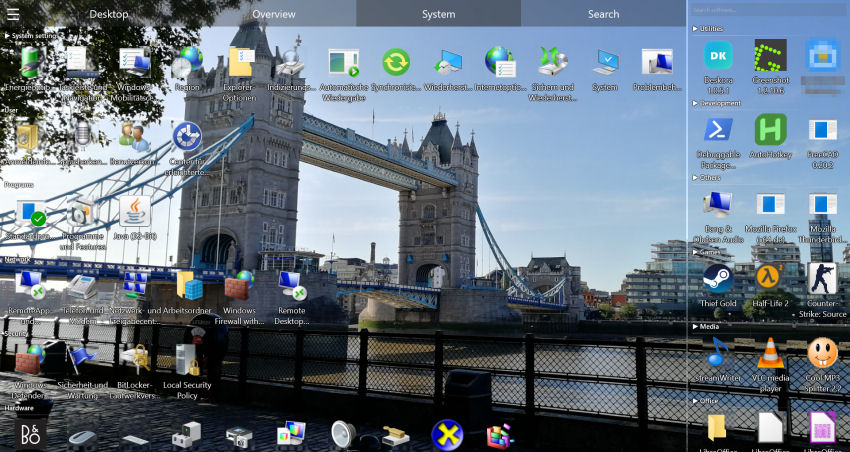
- Search — Any file on your local drives, by name, wildcard or text content
Can You Use Both Together?
Absolutely. The two programs run completely independently:
- Deskora handles file organization
- Rainmeter displays your favorite widgets (clock, monitoring)
Whether you still want widgets afterwards is a matter of taste. If you mainly installed Rainmeter so the desktop would look tidier, groups and optional 3D icons often cover that on their own — and if you love system meters and weather, simply keep both.
Why Rainmeter Users Are Switching to Deskora
⏱️ Config Fatigue
A nice Rainmeter setup takes hours. Editing INI files, tweaking pixel coordinates, mixing skins. Deskora? 30-second install, Deskora does the rest.
🔍 Actually Finding Files
Rainmeter widgets show CPU and weather — but not where that important PDF went. Deskora's NTFS search finds it by name, wildcard or text content.
💻 Saving Resources
Many simultaneously active Rainmeter skins keep running all the time. Deskora renders through Direct3D 11 and switches to an idle mode when you are away from the PC.
📁 Solving the Real Problem
A decorated desktop is still a messy desktop. Deskora solves the actual problem: clutter, lost files, overflowing icons.
All Desktop Tools Compared
See how the four most popular desktop tools stack up. Check out detailed comparisons for Fences and DesktopOK too.
| Criteria | Deskora | Rainmeter | Fences | DesktopOK |
|---|---|---|---|---|
| Price | Free | Free | Paid (subscription or one-time purchase) | Free |
| File organization | ✓ Automatic, no setup | ✗ | ✓ Areas + rules you set up | ✗ |
| File search | ✓ NTFS | ✗ | ✗ | ✗ |
| Widgets | ✗ | ✓ | ✗ | ✗ |
| Icon backup | ✗ | ✗ | ✗ | ✓ |
| GPU rendering | ✓ | ✗ | ✗ | ✗ |
| Setup | ✓ 30 sec | ✗ Hours | ✓ 5 min | ✓ 1 min |
Frequently Asked Questions
Is Deskora really completely free?
Yes. No ads, no subscription, no paid edition and no registration — every feature is available immediately. Fences, by contrast, is paid software (subscription or one-time purchase) with a 30-day trial beforehand.
Can Deskora do everything Fences does?
Not one for one. Fences 6 works with areas you draw yourself and sorts new files through rules you configure. Deskora groups by file type from the first launch with no setup, adds age groups, highlights new files, orders by how often you use things, and brings an NTFS search along. You can still rename groups and drag files between them.
How do I switch from Fences to Deskora?
Install Deskora and start it — the grouping appears immediately, without you rebuilding any areas. Both programs can run side by side, but doubly sorted icons get confusing, so quit Fences once you are happy with Deskora's groups. Your files stay exactly where they are, because Deskora never moves anything on disk.
Does the automatic sorting need an internet connection?
No. Sorting and search run locally, offline included. Known file extensions are mapped through Windows metadata; only file types and programs that cannot be mapped that way are assigned once with AI help — from extension metadata or the program and EXE name, never from your file names or contents. Without internet, such entries land in the "Others" group for the time being.
What happens if I uninstall Deskora again?
Windows shows the familiar desktop with its usual icons again. Because Deskora neither moves nor renames files on disk, everything sits exactly where it sat before.
Does Deskora save icon positions too?
No — by design. Deskora dynamically organizes files into groups. There's no need to save static positions when your desktop sorts itself.
Does Deskora support multiple monitors?
Yes. Deskora keeps a separate saved state for every monitor, so groups and arrangement stay intact per screen. That is a different thing from DesktopOK's resolution-based position backup.
Can Deskora show widgets like Rainmeter?
No, Deskora has no widgets, skins or system meters — its focus is file organization and search. Both programs run independently of each other, so you can keep Rainmeter next to it for clock, weather or system monitoring.