Deskora – Organize Your Desktop. Clean. Smart. Fast.
Deskora is a lightweight Windows desktop organizer that automatically sorts files, manages installed software, and keeps your workspace clean and productive.
Download Deskora Explore Features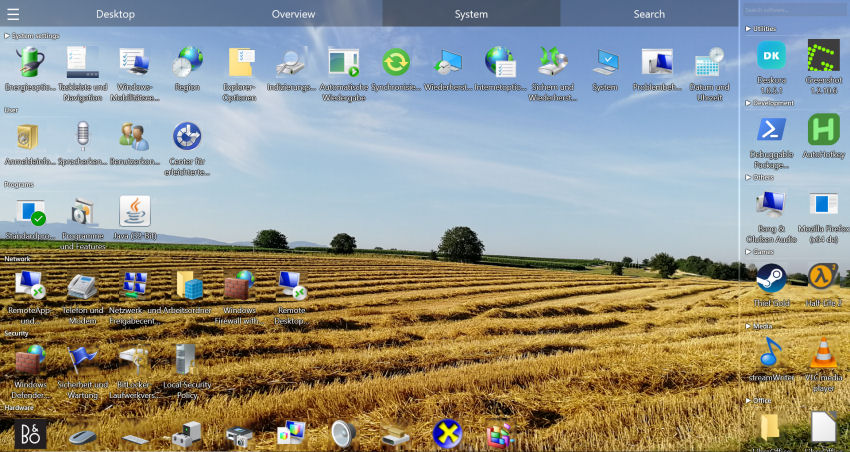
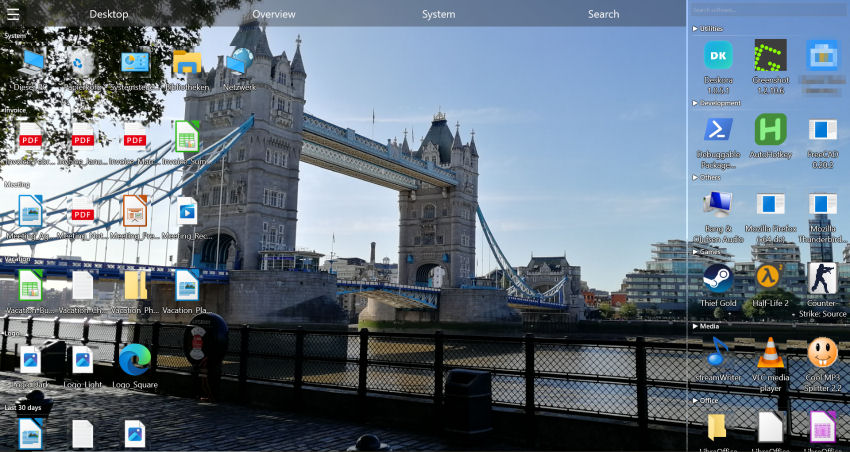
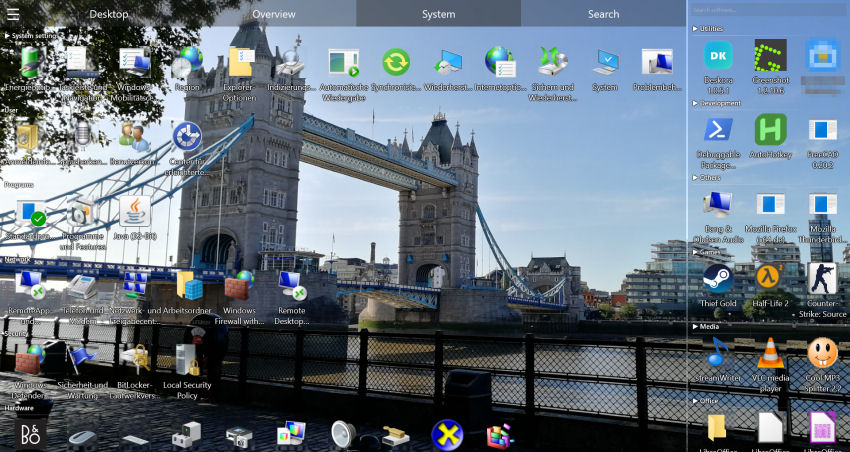
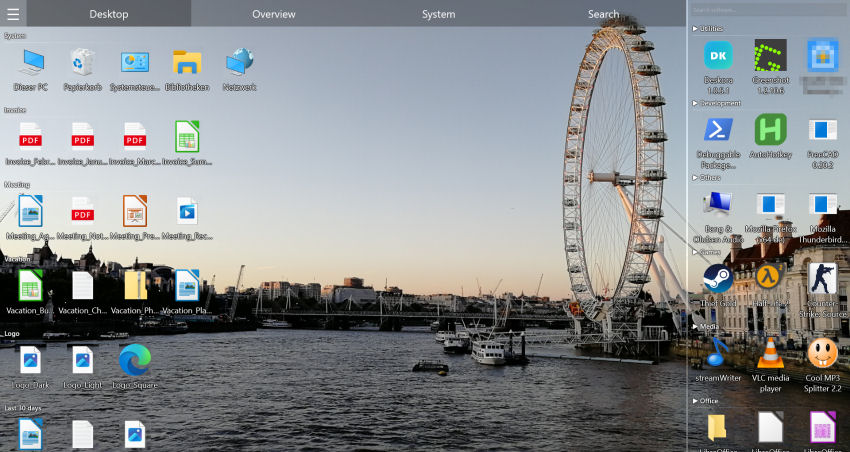
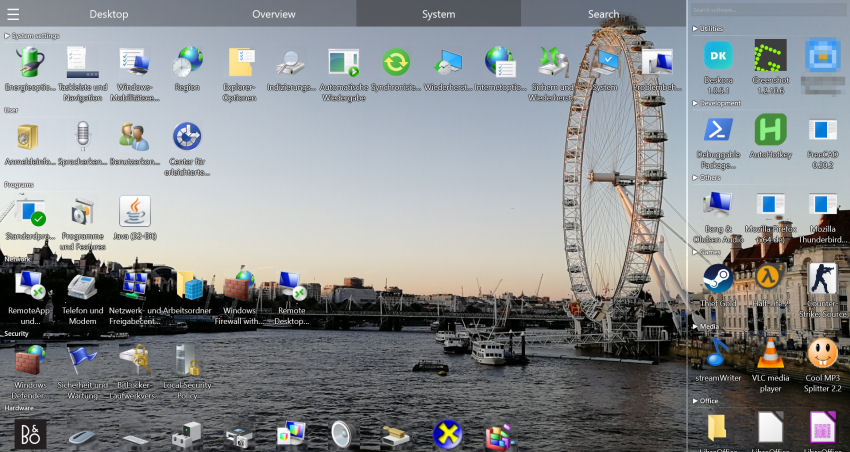
From Chaos to Clarity
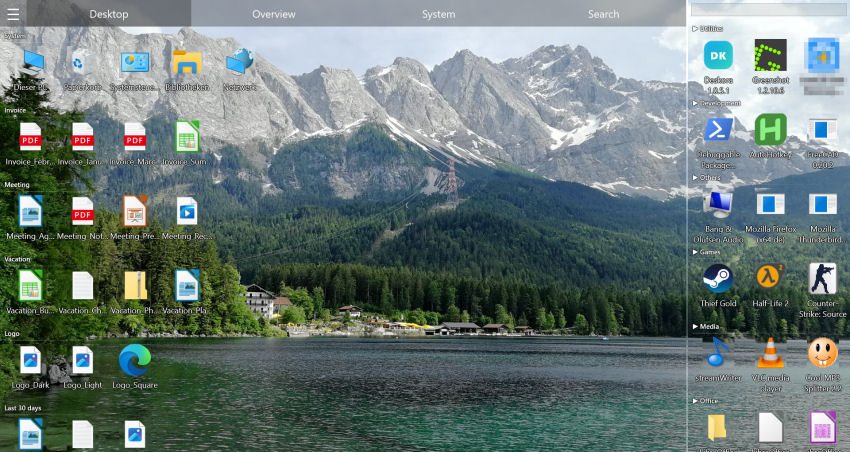
The standard Windows desktop quickly becomes a dumping ground for files, shortcuts, and downloads. Deskora replaces this chaos with an automatically organized, intelligent workspace.
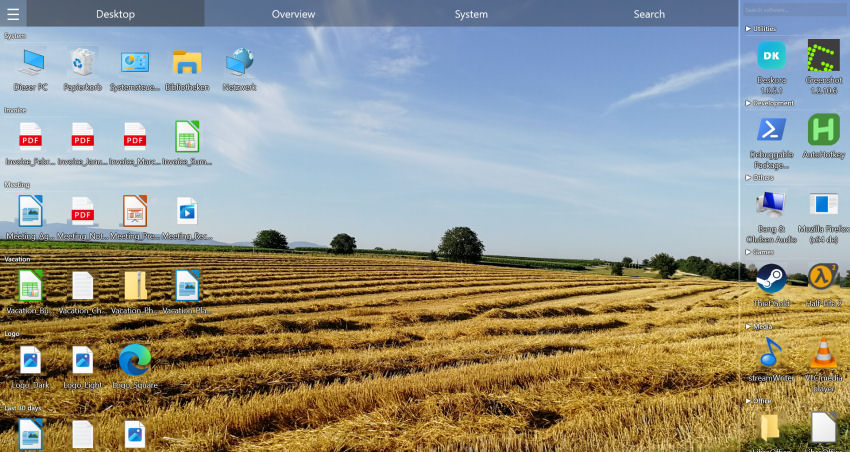 With Deskora
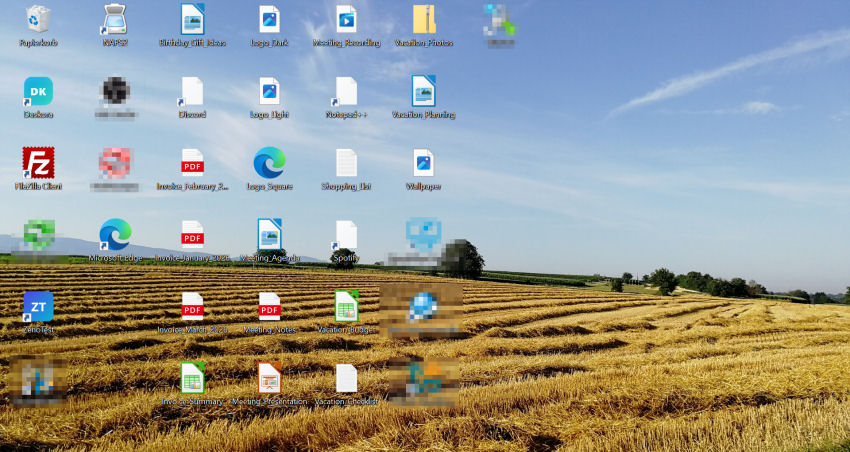 Without Deskora
Without Deskora
- Files scattered randomly across the desktop
- No structure – shortcuts, documents, and downloads mixed together
- Wasting time searching for the right file
- Desktop becomes unusable as files pile up
With Deskora
- All files automatically sorted into smart categories
- New files highlighted, old files grouped by age
- Instant access to every file and installed program
- A clean, productive workspace – always
Find anything without returning to the desktop
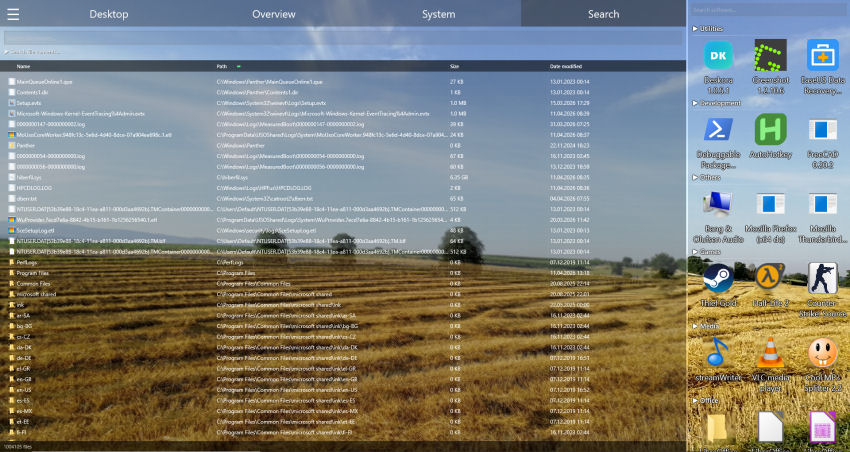
Deskora Quick Search opens above your current work. Type a few letters, use the arrow keys and press Enter — even when another window covers the desktop.
Explore Quick SearchFind it by when you worked on it
Sometimes you don't remember the file name – only that it was Tuesday afternoon. Deskora's Timeline tab lists what you opened, changed and downloaded, day by day, back through months and years. Everything stays on your device, and you can switch the recording off at any time.
Recent files & timeline Windows Recall alternativeKey Features of Deskora
Smart Desktop Organization
Deskora automatically categorizes and organizes files on your desktop. New files are visually highlighted, older files are sorted into age-specific groups – so you always stay on top of things.
Smart Categorization
Deskora uses smart technology to automatically assign installed software and file extensions to meaningful groups. Clusters are formed based on file names – no manual sorting required.
Lightning-Fast File Search
The integrated NTFS indexer scans all volumes in seconds. Search for files by name – with full wildcard support – or even by content. Results are displayed instantly in a sortable list view.
Desktop Replacement Mode
Deskora can fully replace your standard Windows desktop. Your wallpaper stays – but your files are now intelligently organized.
Real-Time File Detection
Deskora detects new, renamed, moved, or deleted files on your desktop in real time. New files appear under the 'New' group and are visually highlighted. Downloads, saves, and clipboard operations are recognized instantly.
Hardware-Accelerated Rendering
The entire interface is rendered with Direct3D 11 for buttery-smooth animations, glass-effect splitters, blur shaders, and minimal CPU usage.
Animated Group Switching
Switch between file groups with a smooth, animated indicator. Deskora visually guides you through your organized categories with fluid transitions.
Optional 3D Icon Rendering
Enable 3D icon rendering for a modern, immersive look. Toggle it on or off in the settings to match your preferred visual style.
System Tab
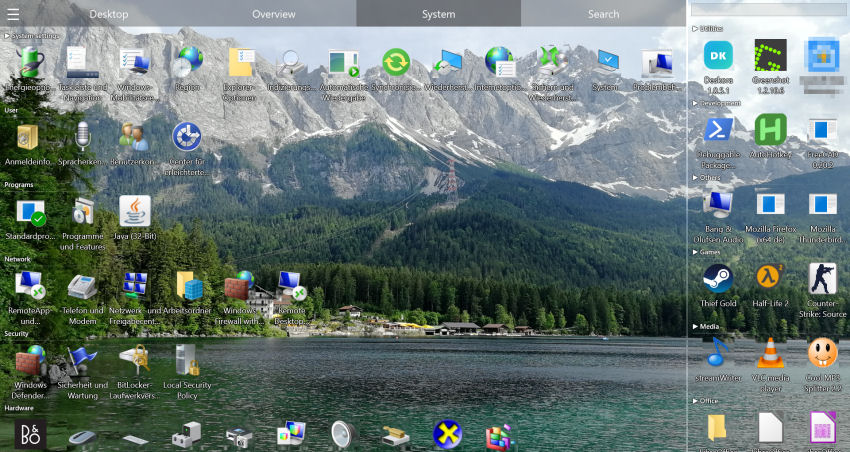
The System tab gives you direct access to all essential Windows functions – from Control Panel and Device Manager to Network and Power Options. Everything in one place, without tedious navigation.
File Overview (Overview Tab)
The Overview tab gives you an at-a-glance summary of all your files across the entire PC – grouped by categories like Office documents, Music, Videos, Images, Text files, and more. Stay on top of everything across all indexed volumes.
Energy & Resource Saving
Deskora only uses CPU and GPU when they are actually needed. During inactivity, Deskora automatically switches to idle mode – for maximum energy efficiency and minimal system load.
Software Overview
Deskora provides a complete overview of all installed programs and apps on your PC. Recently opened apps are automatically moved to the front, and more important groups are sorted higher – for quick access to what you actually use.
Your Privacy Is Protected
Deskora uses smart categorization to automatically sort your files and software into meaningful groups. Only anonymous, technical metadata is ever transmitted – never personal information or file contents.
File extensions (e.g. .pdf, .mp3)
Only the file extension itself is sent to assign it to a suitable group – for example Documents or Music. No file name, no path, no content.
Software name and executable name (e.g. Firefox or notepad.exe)
The name of the installed application and optionally the executable file name are transmitted to assign it to a category such as Browser or Developer Tools. No installation path, no version numbers, no user data.
What is never sent
- No personal files or file contents
- No file or folder paths
- No username or email address
- No system identifiers or hardware IDs
- No browser history or documents
Deskora receives only a category name from the server – for example Music or Games. That is everything that is transmitted and processed.
Why Choose Deskora?
Deskora brings order to your Windows desktop. Smart categorization, fast file access, and a clean workspace – all in one lightweight tool.
Why Deskora?
Deskora replaces the cluttered Windows desktop with an organized, intelligent workspace. It automatically sorts files, indexes installed software, and gives you instant access to everything you need.
Desktop Organizer for Windows →Summary
Deskora is a lightweight, smart desktop organizer for Windows that helps you stay productive by keeping your workspace clean and organized.
Best desktop organizer software →How People Use Deskora Every Day
Whether you work from home, manage large projects, or simply want a clean desktop — Deskora adapts to your workflow. Discover how this free desktop organizer for Windows boosts productivity across different scenarios.
Office Workers & Remote Teams
Professionals deal with dozens of files, shortcuts, and project folders every day. Deskora acts as a smart desktop management tool that automatically sorts icons into logical groups. No more wasting time searching — find any file in seconds with built-in NTFS search. Perfect for anyone looking for Windows productivity software that stays out of the way.
Desktop organizer for office workers & remote teams →Students & Researchers
Assignments, lecture notes, PDFs, and reference material pile up fast. Deskora helps students organize desktop icons by subject, semester, or file type. The smart grouping feature categorizes new downloads automatically, turning a cluttered desktop into a structured workspace. A must-have file management tool for academic workflows.
Desktop organizer for students & researchers →Designers & Content Creators
Creative professionals juggle assets across multiple applications. Deskora keeps project files, design resources, and exports neatly arranged with drag-and-drop organization. GPU-accelerated rendering ensures smooth visuals even with hundreds of icons. It is the desktop icon organizer that creatives have been waiting for.
Desktop organizer for designers & content creators → Find duplicate files →Home Users & Families
Shared computers get messy quickly. Deskora provides an easy way to declutter your Windows desktop without any technical knowledge. Each family member benefits from tidy icon groups and instant file search. No registration, no ads — just a clean desktop experience out of the box.
Multi-Monitor Power Users
Running two or three screens? Deskora fully supports multi-monitor setups and organizes desktop icons across all displays independently. Switch between icon groups per monitor, keep your workflow context-aware, and never lose track of files again. The ultimate desktop organizer software for advanced Windows setups.
Productivity Enthusiasts
A tidy desktop is a productive desktop. Deskora combines automatic icon sorting, wildcard search, and smart idle mode to minimize distractions. It replaces the default Windows desktop with a faster, more organized alternative. If you are looking for free desktop software to streamline your daily routine, Deskora delivers.
Software Developers & DevOps Engineers
Developers and DevOps engineers work with dozens of repositories, terminals, config files, and tools simultaneously. Deskora keeps all project shortcuts, scripts, and documentation neatly grouped on the desktop. The built-in NTFS search finds any file or tool instantly — no more digging through folders. A smart desktop organizer built for technical workflows.
Engineers & CAD / Simulation Professionals
Engineers working with CAD software, simulation tools, or technical documentation deal with large, complex file structures every day. Deskora automatically groups project files, drawings, and exports by type and age — keeping the desktop structured even during intensive projects. Quickly access the right tool or document without interrupting your workflow.
Find duplicate files →