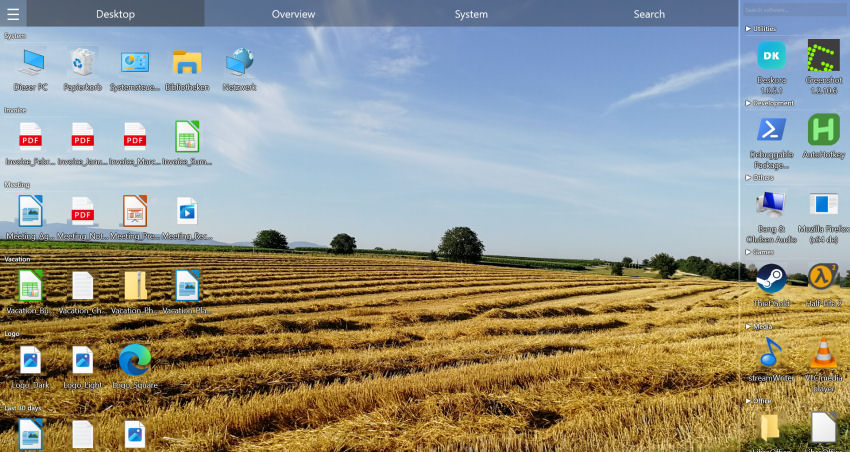
What is a desktop organizer — and why do you need one?
A desktop organizer is software that brings structure to a messy Windows desktop. Instead of dozens of icons, shortcuts and downloads scattered at random, an organizer groups everything into clear categories so you can find what you need in seconds. The standard Windows desktop quickly turns into a dumping ground — a desktop organizer turns that chaos back into a calm, productive workspace.
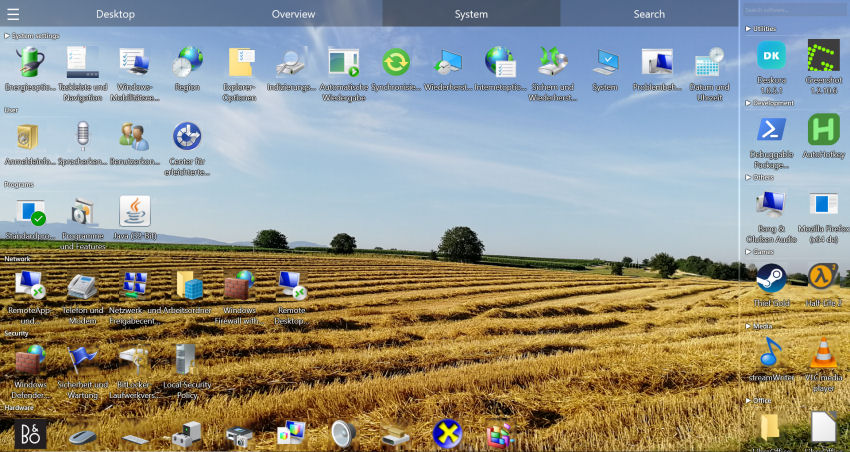
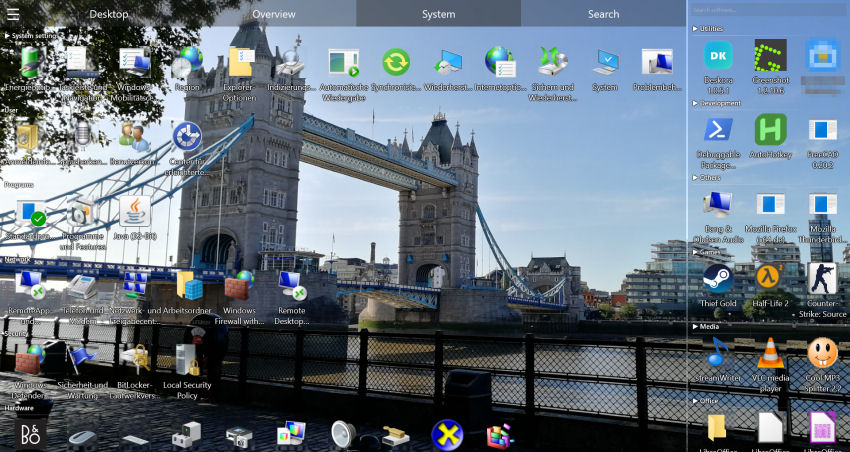
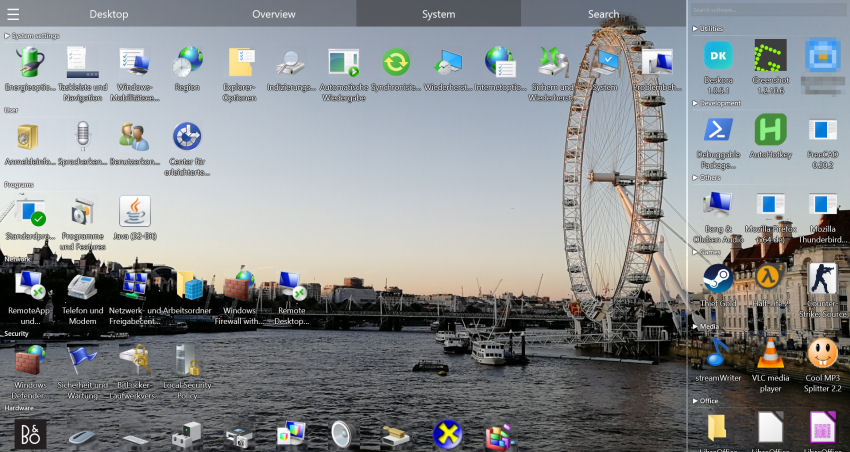
Deskora is a lightweight Windows desktop organizer that does this automatically. It sorts your files into smart groups, indexes your local hard disks and SSDs for instant search, and gathers all your installed programs in one place — without subscriptions, ads or registration. Everything runs locally on your PC.
How Deskora organizes your desktop
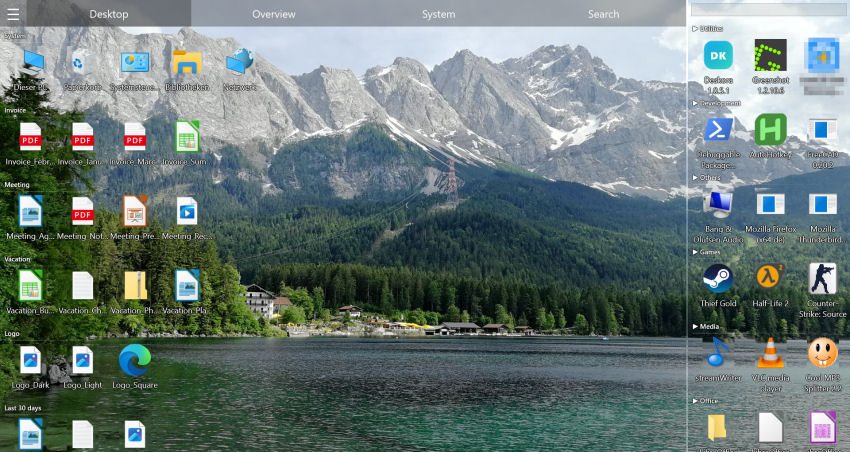
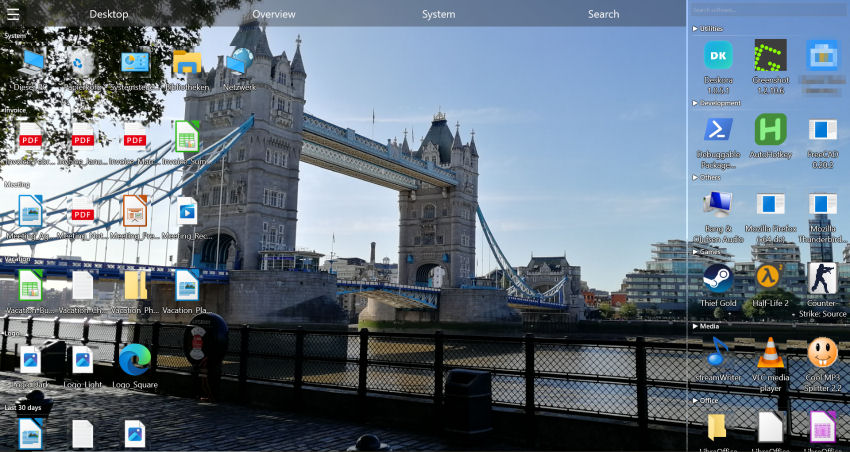
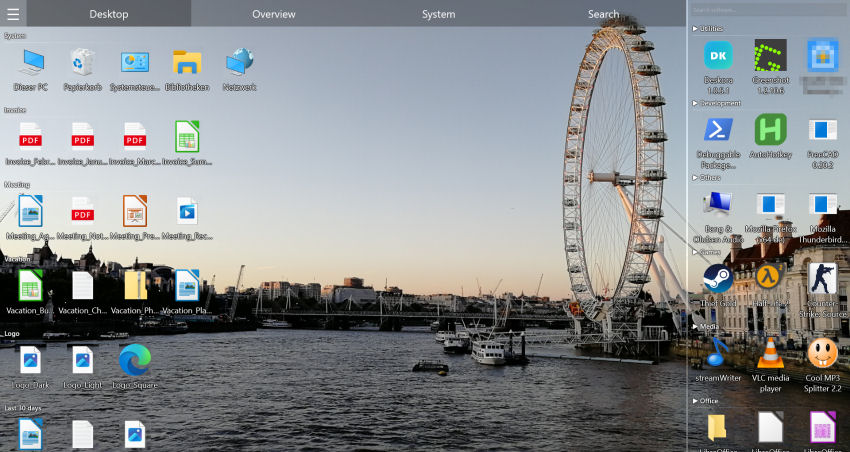
Deskora analyses the names and types of your files and forms logical clusters from them — completely automatically, with zero manual setup. Files land in clear categories such as Documents, Media, Development and Archives, and more. Two details make the result genuinely useful day to day:
- New files are visually highlighted — so a fresh download never gets lost in the pile.
- Older files are grouped by age — recent work stays front and centre, while stale files move out of the way.
The grouping is rule-based and runs locally on your machine, so there is no waiting. Only file types and apps Deskora doesn't recognise yet are assigned once with AI help — based on the file extension or program name alone, never your file names or contents.
Everything a desktop organizer should do
🗂️ Smart automatic grouping
Deskora categorises files by name and type into clean groups — Documents, Media, Development, Archives and more. New files are highlighted, older ones grouped by age. Sorting works offline.
⚡ Lightning-fast NTFS search
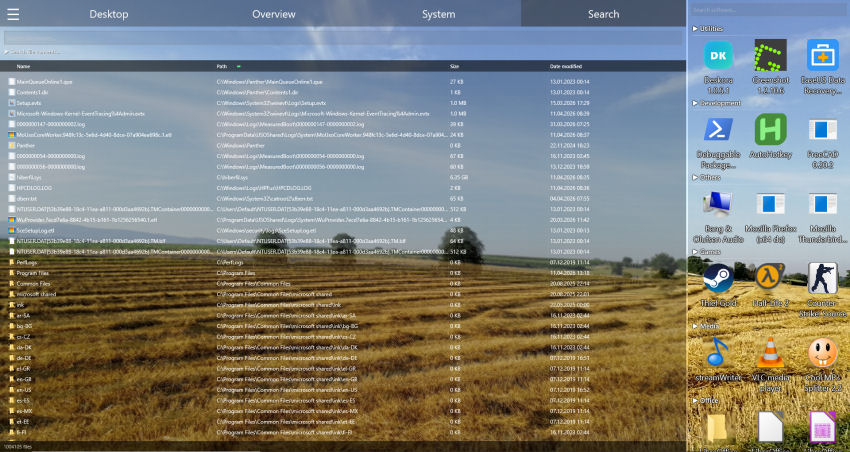
The built-in NTFS indexer scans all volumes in seconds. Search by filename with full wildcard support (* and ?), with results shown instantly in a sortable list.
🔍 Optional content search
Go beyond filenames: the optional, ultra-fast content search looks inside your files and delivers matches in real time as you type.
📦 Installed software at a glance
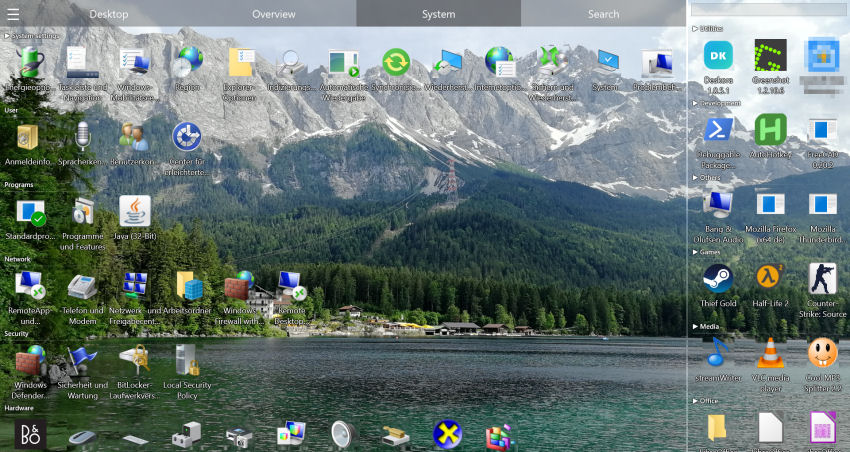
Deskora detects all programs, Steam games and Windows Store apps, sorts them by how often you use them, and surfaces newly installed apps automatically.
🖥️ Multi-monitor & desktop replacement
Each monitor running Deskora keeps its own saved state. In desktop-replacement mode Deskora takes over the icon view of the Windows desktop — your wallpaper stays and Explorer keeps running.
🎮 Hardware-accelerated & light
The interface is rendered with Direct3D 11 for smooth animations and minimal CPU usage. Optional 3D icons add a modern look; an idle mode keeps resource use near zero.
⚡ A tidy desktop in about two minutes
Install Deskora, let it group your icons automatically, and enjoy a workspace that stays organised on its own.
Download Deskora FreeDesktop organizer comparison 2026
Most desktop tools do only one thing, cost money, or focus on decoration instead of organisation. Here is how Deskora compares to the best-known alternatives:
| Feature | Deskora | Fences | DesktopOK | Rainmeter |
|---|---|---|---|---|
| Price | Free | Paid (subscription or one-time purchase), 30-day trial | Free | Free |
| Automatic grouping | ✓ No setup | ✓ Via rules you set up | ✗ | ✗ |
| NTFS file search | ✓ | ✗ | ✗ | ✗ |
| Content search | ✓ | ✗ | ✗ | ✗ |
| Installed-software overview | ✓ | ✗ | ✗ | ✗ |
| Multi-monitor support | ✓ | ✓ | ✓ | ✓ |
| GPU-accelerated UI | ✓ | ✗ | ✗ | ✓ |
Who is Deskora for?
A desktop organizer pays off for anyone whose desktop fills up faster than they can tidy it:
- Professionals & remote teams — dozens of files, shortcuts and project folders sorted into logical groups, with any file found in seconds.
- Students & researchers — assignments, lecture notes and PDFs grouped by type automatically, so new downloads never pile up.
- Designers & creators — project files and exports kept neatly arranged, with smooth GPU rendering even with hundreds of icons.
- Home users & families — an easy way to declutter a shared PC with no technical knowledge, no ads and no registration.
How to set up Deskora as your desktop organizer
- Download Deskora — a standard Windows installer, no sign-up needed, ready in about 30 seconds.
- Let it group your desktop — Deskora scans your icons and creates smart groups automatically.
- Customise to taste — adjust icon sizes, hover effects, sorting rules and language to match your workflow.
- Stay organised — every new file is sorted into the right group from then on.
System requirements
- Operating system: Windows 10 or later (64-bit)
- Disk space: 50 MB free
- Memory: 4 GB RAM recommended
What is a desktop organizer and why do you need one?
A desktop organizer is software that automatically groups files, icons and shortcuts into logical categories. Instead of 80 scattered icons, you see 5 ordered groups — documents, images, projects, apps, downloads.
Deskora goes further: it classifies your files automatically by type, provides lightning-fast NTFS search and GPU-accelerated 3D icons. All completely free.
Deskora's features as a desktop organizer
🧠 Automatic Sorting
Deskora sorts files by type and name into logical groups in seconds. No manual configuration needed.
⚡ Lightning-fast NTFS Search
Millions of files in under a second. Search by name and by content — Word, PDF, TXT.
🔄 Real-time Detection
Every new downloaded or created file is detected instantly and placed in the right group. Your desktop stays organized always.
🎨 GPU-accelerated 3D Icons
Elegant 3D icons rendered with GPU acceleration. Each group has its own customizable visual style.
🖥️ Desktop Replacement Mode
Deskora can take over the icon view of the Windows desktop — your wallpaper stays and Explorer keeps running. It replaces the desktop icon view, not the Windows shell.
📺 Multi-monitor Support
Each monitor gets its own independent groups and layout. Maximum flexibility.
Deskora vs other desktop organizers
| Feature | Deskora | Fences | DesktopOK |
|---|---|---|---|
| Price | Free | Paid (subscription or one-time purchase) | Free |
| Automatic sorting | ✓ No setup | ✓ Via rules you set up | ✗ |
| NTFS instant search | ✓ | ✗ | ✗ |
| Content search | ✓ | ✗ | ✗ |
| 3D icons + GPU | ✓ | ✗ | ✗ |
| Smart groups | ✓ | ✓ | ✗ |
Why is organizing your Windows desktop so hard on your own?
Windows only offers basic sorting — by name, date or type. It doesn't create logical categories or automatically group related files. The result? 80 scattered icons that grow every single day.
Deskora solves this at the root: Deskora analyses your desktop and organizes it automatically — with zero manual effort from you.
How to organize your desktop for free with Deskora: step-by-step guide
Step 1 — Download Deskora
Free download, standard Windows installer, done in under 30 seconds. No registration, no account, no credit card.
Step 2 — Run the automatic classification
Deskora scans your desktop and automatically creates logical groups in seconds — Office docs, images, code files, downloads, shortcuts.
Step 3 — Customize (optional)
The automatic groups are just the starting point. Rename, change colors, move files between groups, add new ones. Everything is flexible.
Step 4 — Let Deskora do the rest
From now on, every new downloaded or created file is detected in real time and automatically sorted. Your desktop stays tidy forever.
Organize desktop for free: Deskora vs alternatives
| Method | Deskora | Fences (paid) | Windows native |
|---|---|---|---|
| Cost | ✓ Free | ✗ Subscription or one-time purchase, 30-day trial | ✓ Free |
| Automatic classification | ✓ From the first launch | ✓ Via rules you set up | ✗ No |
| Logical groups | ✓ Yes | ✓ Yes | ✗ No |
| Instant search | ✓ NTFS | ✗ No | ✗ Slow |
| Real-time detection | ✓ Yes | ✗ No | ✗ No |
Frequently Asked Questions
Does Deskora move my files on disk?
No. Deskora organises how your icons are displayed on the desktop — the actual location of your files on disk does not change.
Does the grouping need an internet connection?
No. Sorting and indexing run locally on your PC. Only the first-time assignment of file types or apps Deskora doesn't recognise yet needs an internet connection — offline, they land in Others until then.
How does Deskora decide which files belong together?
It analyses file names and types and forms clusters from them, then assigns them to categories such as Documents, Media, Development and Archives — automatically, with no manual setup.
Does Deskora work on Windows 11?
Yes. Deskora runs on Windows 10 and Windows 11 in their 64-bit editions. It is installed through a standard Windows installer that finishes in under 30 seconds, and needs no account or registration. If you want, it starts automatically with Windows.
Is Deskora really free forever?
Yes — no ads, no subscription, no paid edition and no trial that expires. There are no locked features waiting to be unlocked later: what you see after installing is the complete feature set.
What happens if I uninstall Deskora?
Windows shows the familiar desktop with its usual icons again, and the original icon positions come back. Because Deskora never moves, renames or deletes anything on disk, every file is exactly where it was before.
How does Deskora behave with several monitors?
Each screen keeps its own saved state, with its own groups and its own arrangement. A resolution change or re-docking therefore does not scramble the layout the way manually arranged icons often are.